A proposed goal: not signed off yet.
Home Office
We earn a commission when you buy through some links. As an Amazon Associate I earn from qualifying purchases.
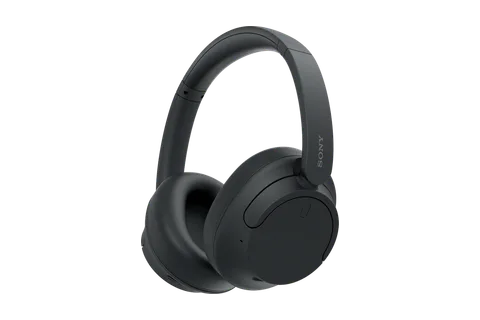 Essential · $88Good
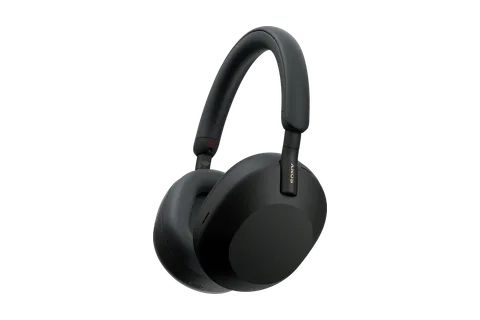 Upgrade · $298Better
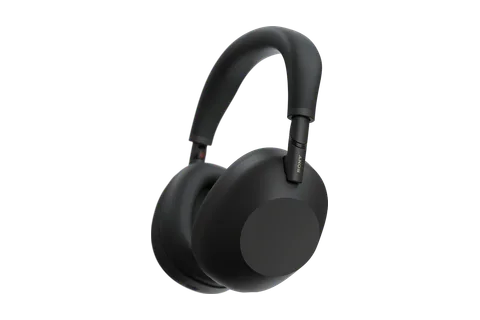 Absolute · $458Best
EssentialPunchy, detailed sound
UpgradeCrowds, vehicles and voices
AbsoluteMedium and high frequencies
Essential · Sony WH-CH720N
These over-ear headphones are made mostly of plastic, which keeps them light at 192 grams and comfortable for hours. Noise cancelling focuses on low-frequency sound and ambient noise, making commutes less disruptive. Sound is bass-led and punchy, with clear, detailed mids and bright treble. Battery lasted up to 40 hours with noise cancelling on.
Pro: Light, comfortable noise-cancelling headphones with punchy, detailed sound you can wear for hours.
Con: Noise cancelling can make one nearby voice stand out, and calls sound average.
Upgrade · Sony WH-1000XM5
Noise cancelling handles low drones and higher-pitched chatter, using eight microphones that adapt quickly to your surroundings. Sound is rich and detailed, though bass can feel heavy until you adjust the app's equaliser. Padded earcups and a light build make them easy to wear for long stretches, and calls sound good. Battery runs 30 hours with noise cancelling on.
Pro: Noise cancelling that also quiets nearby voices the Essential lets through.
Con: The earcups don't fold, so they are bulkier to store and carry.
Absolute · Sony WH-1000XM6
Twelve microphones and a faster chip drive noise cancelling that blocks medium and high frequencies, including voices. Sound is detailed and balanced, and a 10-band equaliser tames a bass-heavy default. Calls stay clear, with background noise reduced while your voice comes through. The earcups fold for carrying, and battery lasts about 30 hours with noise cancelling on.
Pro: Noise cancelling that shuts out nearby voices the Essential lets through, plus transit rumble.
Con: A thin headband can press on the head, limiting comfortable wear to about seven hours.
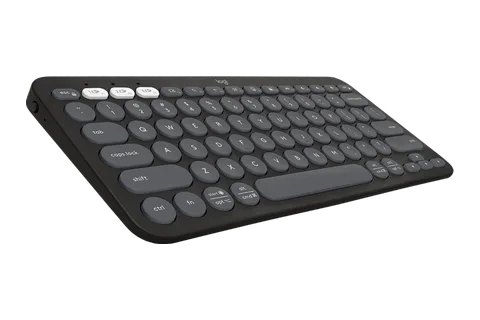 Essential · $34Good
 Absolute · $240Best
EssentialCompact typing with three devices
UpgradeBacklit keys you can read
AbsoluteMagnetic switches for each key
Essential · Logitech Pebble
The Pebble Keys 2 K380s is a thin, low-profile keyboard without a number pad that fits in front of a laptop and suits travel. Its round keys have a typewriter-like feel with a satisfying tactile response, and it does not creak or flex under spirited typing. Two included AAA batteries are rated for up to 36 months.
Pro: A compact, lightweight Bluetooth keyboard that switches between three devices.
Con: No backlighting, and its round keys and small arrow keys take getting used to.
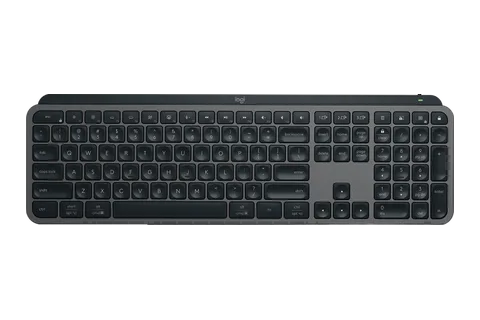
Upgrade · Logitech MX
The MX Keys S is a full-size keyboard with low-profile scissor-switch keys, full-size arrow keys and a number pad. Its backlight turns on as your hands approach and adjusts to the room's light. It connects wirelessly over Bluetooth or the included Logi Bolt receiver, pairs with three devices and recharges over USB-C.
Pro: Backlit keys you can read in the dark.
Con: Battery lasts about 10 days with the backlight on, versus five months with it off.
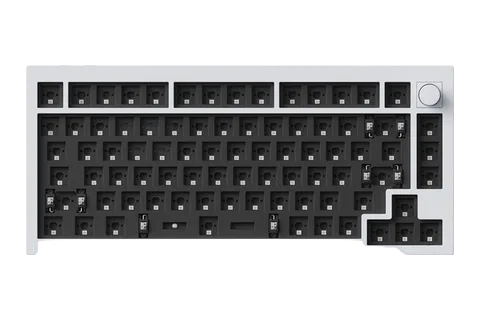
Absolute · Keychron Q1 HE
The Q1 HE is a 75 percent wireless mechanical keyboard with a solid aluminum chassis and magnetic switches whose actuation point you can set for each key. Sound-dampening foam gives it a comfortable, nice-sounding typing feel. Switches on the back choose wired, 2.4GHz or Bluetooth and Windows or Mac mode.
Pro: A wired cable mode alongside 2.4GHz wireless and Bluetooth.
Con: It weighs 3.75 pounds and its battery lasts about 100 hours.
 Essential · $170Good
 Upgrade · $747Better
 Absolute · $3,248Best
EssentialCharges a laptop over one cable
UpgradeThunderbolt 4 hub with Ethernet
AbsoluteBrighter HDR from mini-LED dimming zones
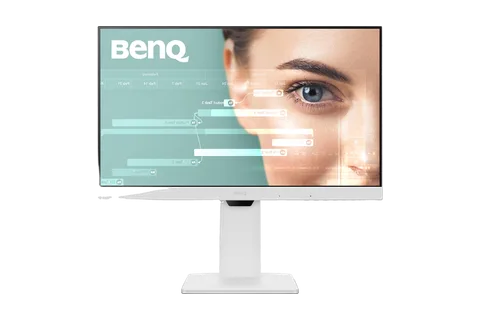
Essential · BenQ GW2486TC
This 24-inch, 1080p screen suits documents, spreadsheets and other light office work. Its USB-C port supplies 65 watts, so one cable carries video and charges a laptop. The stand adjusts for height, tilt, swivel and pivot, and a 100Hz refresh rate smooths motion. It covers the full sRGB color space and can daisy-chain a second screen.
Pro: A 24-inch screen that charges a laptop and carries video over one USB-C cable.
Con: Its screen measured only 241 nits and can look washed-out in sunny rooms.
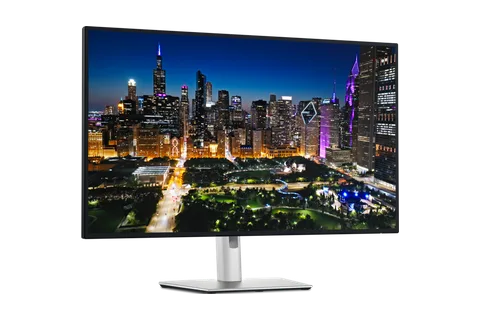
Upgrade · Dell UltraSharp 32 4K Thunderbolt
This 31.5-inch 4K IPS Black screen offers a sharp image, a 3,000:1 rated contrast ratio and a 120Hz refresh rate. Its Thunderbolt 4 and USB-C ports supply 140 watts, enough to charge most laptops, beside HDMI and DisplayPort. Built-in 2.5Gbps Ethernet, a pop-out USB hub and a KVM switch let it stand in for a laptop dock.
Pro: A brighter, anti-glare screen that holds up in bright rooms where the Essential washes out.
Con: It has no built-in speakers and a slow response time that dedicated gamers may notice.
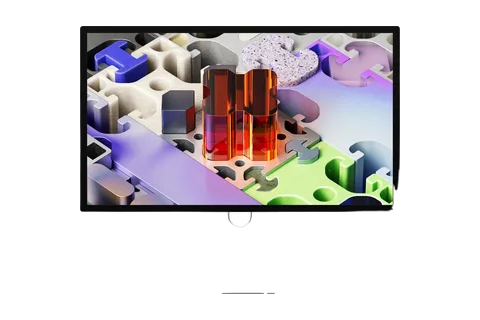
Absolute · Apple Studio
This 27-inch mini-LED screen has 5K resolution, 2,304 dimming zones and a 120Hz refresh rate. It reaches 2,000 nits peak in HDR and measured 100% sRGB and 98.3% DCI-P3, with a Delta E of 0.49. Its Thunderbolt 5 and USB-C ports work as a dock, and it builds in a 12-megapixel webcam and six speakers.
Pro: Incredibly high brightness, where the Essential's screen can look washed-out in bright light.
Con: Its picture looks only subtly different from the maker's standard model.
 Essential · $70Good
 Upgrade · $130Better
EssentialDual mics and adjustable field of view
Upgradeautofocus and auto white balance
AbsoluteClose focus and 4K capture
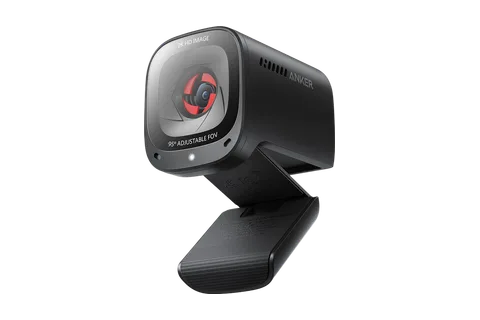
Essential · Anker PowerConf
It records sharp 2K video by default and can drop to 1080p or lower. Software lets you switch the field of view between 65, 78 and 95 degrees. Dual microphones pick up your voice clearly, and a built-in cover slides shut for privacy. Autofocus is quick, and the f/2.0 aperture helps in darker rooms.
Pro: A 2K webcam with dual mics, a privacy cover and adjustable field of view.
Con: The one-piece mount is awkward to tilt and can't swivel left or right.
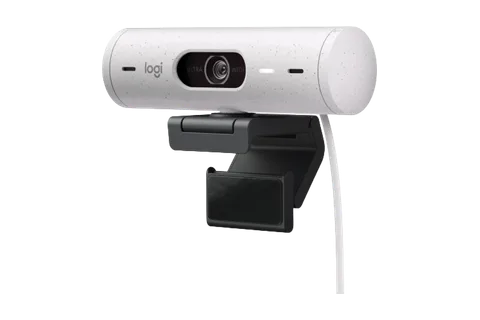
Upgrade · Logitech Brio 500
It records 1080p at 30 frames per second or 720p at 60, with a 90-degree view you can narrow. Its light correction gave evenly lit images in both low and overexposed lighting. Two noise-reducing mics, a twist-to-close privacy shutter and Show Mode for pointing it at your desk are built in.
Pro: Crisp, clear video with autofocus and auto white balance that worked better in testing.
Con: The mount can be finicky to fit and remove, and may leave gummy residue.
Absolute · Logitech MX
It records 4K at 30 frames per second or 1080p at 60 using a Sony Starvis sensor. HDR helps it handle low light, and it focuses unusually close, quickly and accurately. Twin beamforming mics cut background noise, and a twist of the lens ring closes the privacy shutter. You can pick a 65, 78 or 90-degree view.
Pro: Smoother 1080p video at 60 frames per second, plus 4K capture.
Con: It is bulky and lacks Windows Hello face login support.
 Essential · $220Good
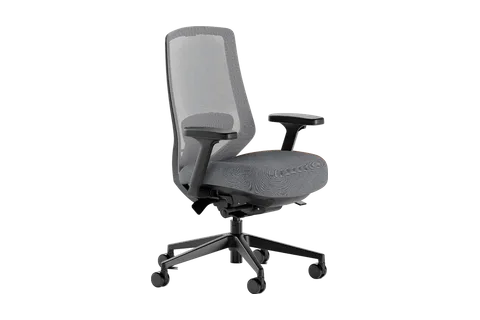 Upgrade · $499Better
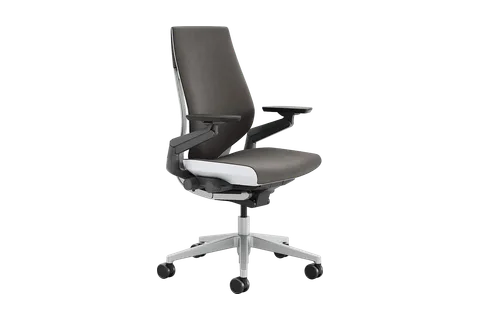 Absolute · $1,585Best
EssentialBreathable mesh with adjustable lumbar support
UpgradeArmrests adjust five ways, in and out
AbsoluteBack flexes with your spine
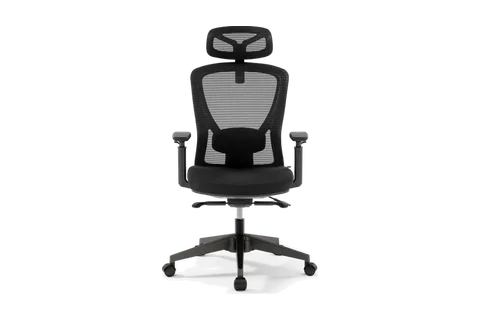
Essential · Boulies EP200
It pairs a flexible, breathable mesh back with adjustable lumbar support, seat depth and seat height, plus armrests that swivel and change height. The back reclines to 95, 113 or 135 degrees, and an adjustable head and neck support helped keep an upright posture. Its firm mesh seat won't sag but may feel hard on the tailbone.
Pro: A breathable mesh chair that stays supportive through full workdays.
Con: The seat fabric showed wear, such as creasing, after a couple of hours of use.
Upgrade · Branch Ergonomic Pro
It pairs a breathable mesh backrest that follows the curve of the back with a decently soft high-density foam seat. Seat depth and height, lumbar height and depth, recline resistance, forward tilt and tilt lock all adjust, and the armrests move five ways, including in and out. Users over six feet may want the optional taller cylinder.
Pro: A seat that held up through two years of testing with only slight fabric pilling.
Con: The recline tension knob does little, and the armrests have a slight wobble.
Absolute · Steelcase Gesture
Its armrests rotate a full 360 degrees and slide up, down, in, out, forward and back. The back flexes as you recline and holds the chosen angle, with height-adjustable lumbar support and a four-position back stop. Seat height and depth adjust, and it holds up to 400 pounds.
Pro: A seat that stays as comfortable after years of heavy use as on day one.
Con: Its foam and fabric don't breathe well, so it can retain heat.
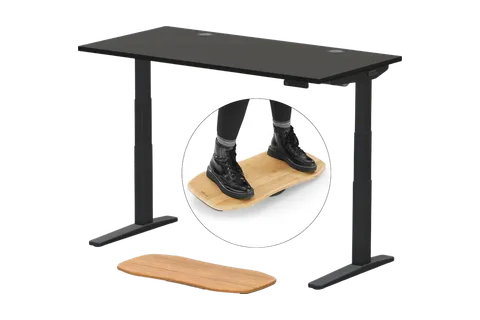 Essential · $808Good
No Upgrade pickNo product at this level has enough backing.
No Absolute pickSome candidates were set aside.
EssentialStable even at full height
Essential · Uplift V3
It has a dual-motor frame with four memory presets and lifts up to 355 pounds. Its height runs from 22.6 to 48.7 inches, which fits people from about 4-foot-9 to 6-foot-8. It moves smoothly and quietly, and every desk comes with a cable management tray. It has a 15-year warranty.
Pro: A sturdy electric sit-stand desk with a wide height range and many custom options.
Con: Slightly more front-to-back wobble than rival desks at heights of 40 inches and above.
No Upgrade pick. No product at this level has enough backing.
No Absolute pick. Some candidates were set aside.
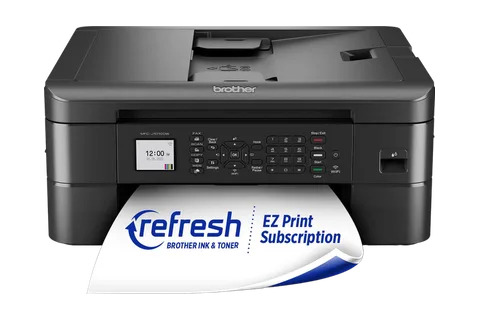 Essential · $190Good
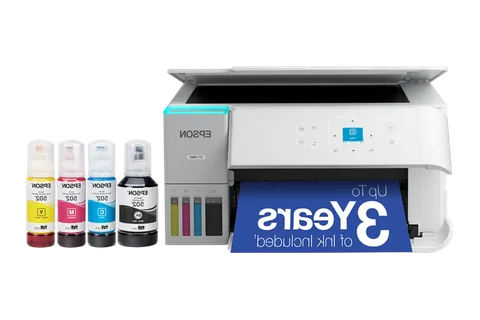 Upgrade · $285Better
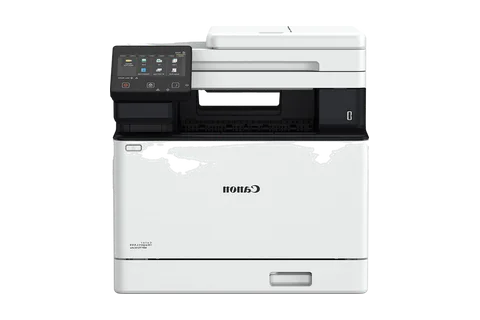 Absolute · $647Best
EssentialBorderless photos and special media
UpgradeKeyed bottles stop mix-ups and drips
AbsoluteAuto duplex and document feeder
Essential · Brother All-in-one
It prints, scans and copies, and connects by Ethernet, USB or Wi-Fi Direct. Reviewers found text very sharp and photos clear, and it can print borderless photos and other special media. It prints standard documents at 17 pages per minute and is quiet while printing. A touchscreen sets up prints and runs the scanner.
Pro: A color inkjet all-in-one that prints, scans and copies with sharp text and photos.
Con: Tiny ink cartridges that are used up fast and give poor ink economy.
Upgrade · Epson EcoTank ET-2980
This wireless color all-in-one has a flatbed scanner, and its ink is poured from bottles into tanks at the front. Keyed bottles stop mix-ups and drips, and it connects by Wi-Fi or USB with AirPrint and Mopria support. Text comes out sharp and colors vibrant, though printing is slower than a laser.
Pro: Ink rated for 8,500 black and 6,500 color pages, versus the Brother's poor ink economy.
Con: No automatic document feeder and a small screen, so big scan jobs are a chore.
Absolute · Canon Color
This color laser all-in-one prints, copies, scans and faxes, with auto duplex and a document feeder. Its main tray holds 250 sheets, with 50 more in a multipurpose tray that takes envelopes and labels. A responsive 5-inch touchscreen simplifies copying and scan jobs and walks you through clearing paper jams. Text prints sharp, and color documents show detail.
Pro: Laser printing measured at 26.5 pages per minute, where the Epson is slower than lasers.
Con: Heavy and bulky, with higher per-page running costs than most ink tank printers.
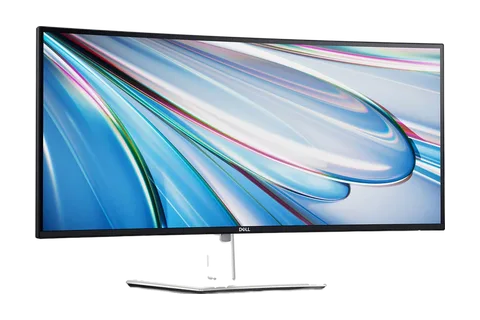 Essential · $799Good
No Upgrade pickSome candidates were set aside.
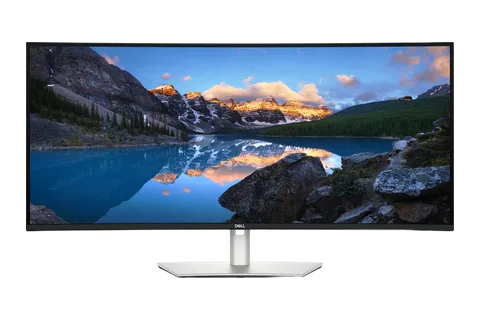 Absolute · $1,399Best
EssentialLaptop-charging port hub
AbsoluteDozens of spreadsheet columns
Essential · Dell U3425WE
This 34-inch, 3440x1440 ultrawide has an IPS Black panel with better contrast than typical IPS, and a 120 Hz refresh rate. Colors tested accurate and even across the screen, and it gets bright enough for office work. A Thunderbolt 4 port charges a laptop at up to 90 W, with Ethernet, many USB ports and a KVM switch.
Pro: A 34-inch ultrawide with a sharp 120 Hz screen and a laptop-charging port hub.
Con: It lacks variable refresh rate, and HDMI can't carry full resolution at 120 Hz.
No Upgrade pick. Some candidates were set aside.
Absolute · Dell U4025QW
This 40-inch, 5120x2160 ultrawide has an IPS Black panel and a 120 Hz refresh rate, and it supports variable refresh rate. It is accurate enough out of the box for most people. A Thunderbolt 4 port charges compatible laptops at up to 140 W, beside Ethernet, many USB ports, a KVM switch and split-screen for two computers.
Pro: A bigger, sharper 5120x2160 screen that fits dozens of spreadsheet columns at once.
Con: Its brightness and contrast tested about 25% below advertised, and its stand can wobble.